
The Best Duplicate Photo Cleaners for iPhone in 2026
Short answer
Start with the iPhone's own Duplicates album: Apple's Photos app collects exact duplicates and merges each set into the highest-quality copy at no cost, a merge no app below offers. A separate cleaner earns its place on near-identical shots, which that album does not cover. PhotoBroom clusters those on the device using Apple Vision feature prints, with every category free and deletion metered at 50 items of any type per calendar day plus 2 large videos. CleanMy®Phone puts the same job behind its paywall; Remo Duplicate Photos Remover is free but frozen since August 2021.
Key points
- Exact duplicates and near-identical shots are two different problems, and most apps in this category are built for only one of them.
- Apple's Photos app merges exact duplicates into the highest-quality copy. PhotoBroom has no merge and does not replace that feature.
- MacPaw's knowledge base places duplicates, similar photos and blurred photos on the paid side of CleanMy®Phone; Largest Videos and Screenshots are the free categories.
- PhotoBroom locks nothing and hides no scan result; free deletion is metered at 50 items of any type per calendar day plus 2 large videos.
- Remo Duplicate Photos Remover is free with nothing to buy, but its iOS build is version 3.6 from August 2021 and Cisdem found its similar detection "not effective in detecting similar images".
- Slidebox has no automatic duplicate detection at all: its Compare Similar Photos is a manual comparison of adjacent frames.
Which duplicate photo cleaner should you install on an iPhone?
Install nothing until the built-in album has been used. Apple’s Photos app collects exact duplicates into a Duplicates collection and merges each set into one item carrying the highest-quality version and the combined data (Apple, Merge duplicate photos and videos on iPhone, read 2026-08-03). That is the whole job for anyone whose library genuinely contains copies. A third-party cleaner becomes worth its install for the frames that merely resemble each other, where Apple documents no equivalent feature at all.
The table below is a division of labour rather than a ranking. Read it by first deciding which kind of duplicate you have, then reading only that column.
| App | What its duplicate detection actually is | Is that job usable without paying? | Requirements and maintenance | What its App Store privacy label declares |
|---|---|---|---|---|
| Photos app Duplicates collection (Apple) | Duplicate photos and videos as classified by the Photos app. Apple publishes no matching criteria: no threshold and no time window. | Yes, entirely. It is part of iOS and there is no purchase of any kind. | Documented from the iOS 16 edition of the iPhone User Guide onward. Nothing to install. | Not applicable. No third party is involved and no app gains photo library access. |
| PhotoBroom | Similar Photos clusters shots taken within a configurable window, five minutes by default, using Apple Vision feature prints, and pre-selects the highest-scoring frame. There is no exact-duplicate merge. | Yes. All seven categories are open and no scan result is hidden. Free deletion is metered at 50 items of any type per calendar day plus 2 large videos. | iOS 18.0 or later, iPhone and iPad. Actively maintained against current PhotoKit and Vision. | No tracking declared. Photos and videos are analysed on the device and never uploaded; no account, no sign-up, no advertising. |
| CleanMy®Phone (MacPaw) | A Declutter module covering duplicates, similar photos and blurred shots, plus semantic Organize categories such as Travel, People and Food. | No. MacPaw’s knowledge base states free access covers Largest Videos and Screenshots in Declutter plus Other in Organize; duplicates, similar photos and blurred photos are premium. | The listing showed iOS 17.0 while macpaw.com stated iOS 16.0, so this page does not pick one. Actively maintained; also bundled in Setapp. | Identifiers and Usage Data used to track you, plus an email address, Advertising Data and diagnostics collected but not linked. |
| Cleaner Kit (BP Mobile) | Duplicate and similar photo and video detection sorted into similar, duplicates, screenshots, blurred and “with text” buckets, including Live Photo and burst duplicates. | Not established. A review dated 2026-07-11 reports a paywall as the first thing the app shows, unavoidable, with no close control appearing; users have separately reported hitting a photo-removal limit and then a paywall. | iPhone, from iOS 15.0. No iPad build is listed. Continuously shipped since 2017 and still updated in 2026. | Purchases, Location, Identifiers, Usage Data, Diagnostics and Other Data used to track you. Surfshark’s February 2025 study named it the heaviest data-sharer of the ten most popular US cleaners. |
| Remo Duplicate Photos Remover | Two modes and nothing else: Scan Exact for identical copies, Scan Similar for near-duplicates. Cisdem found the similar mode “not effective in detecting similar images”. | Yes. There is no paid tier, no in-app purchase, no advertising and no metering: nothing to unlock. | iOS 9.0, which reaches hardware PhotoBroom cannot. Frozen: version 3.6 from August 2021, changelog “Text changes”. | The developer does not collect any data from this app, confirmed on the US and Canadian listings. The cleanest label in this set. |
| Swipewipe (MWM) | Chronological swipe triage is the product; clutter detection for similar photos, blurry shots and screenshots is a secondary feature. Users have reported poor success rates from it. | Partly. The free tier is metered by cooldowns and an ad-refillable swipe budget. The reported numbers conflict irreconcilably across sources and are not published here. | iPhone, iPad and Android. Shipping since 2021, acquired by MWM in 2024. | Identifiers, Usage Data and Other Data used to track you, with third-party advertising linked to the user. |
| Slidebox | None automatic. Compare Similar Photos is a manual side-by-side of adjacent frames, and users have reported buying premium expecting duplicate grouping and not finding it. | The swipe-and-file workflow is free and ad-supported; a 2025-era update moved older photos behind premium. | iPhone, iPad, Apple silicon Mac and Android. On the store since 2015. | Everything declared falls under Data Not Linked to You, including User Content for app functionality, with no tracking category declared. |
Are your photos duplicates, or just similar?
Duplicates and similar photos are two different problems, and which one you have decides which app is right, a question almost nothing written about the category asks. A duplicate is the same file saved twice: an imported batch, a photo somebody sent back to you, a restore that doubled part of the roll. Similar photos are separate captures of one moment: the six frames fired off at a birthday cake, three retries of the same view because the first two had someone blinking. They are not copies of anything, and a tool built to match identical files will find none of them.
Most of the frustration in this category comes from that mismatch. Somebody with 4,000 burst frames runs a duplicate finder, gets a small number back, and concludes the app is broken. It is not broken; it was built for the other problem. The reverse also happens, and it is worse: a tool that groups by resemblance can group photographs that are not copies at all, which is why Smart Cleaner reviewers describe losing photos after selecting duplicates only, including one report of photographs of the same dog being treated as duplicates of each other.
Do you need a third-party duplicate cleaner at all?
For exact copies, no. The Photos app’s Duplicates collection is free, already installed, covers videos as well as photos, merges rather than deletes, and grants no third-party app access to the photo library. PhotoBroom has no merge of any kind, so on that specific job PhotoBroom adds nothing and the built-in album is the better tool — the case for stopping at the built-in album is set out separately, because for a lot of readers it is the whole answer.
Three signals together mean an app is warranted: the Duplicates collection is empty or nearly so, the storage in Settings, General, iPhone Storage is still dominated by Photos, and the library contains long runs of near-identical frames. That combination is the one Apple has no feature for.
Which app detects near-identical shots, and how?
Five of the seven attempt it automatically, and the differences are in mechanism, not in marketing. PhotoBroom compares photos taken within a configurable time window, five minutes by default, using Apple Vision feature prints, clusters the shots whose prints fall inside a similarity threshold, and highlights the highest-scoring frame in each group.
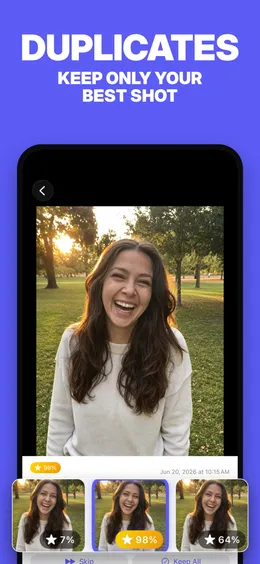
CleanMy®Phone runs similar photos and blurred shots as Declutter categories, which MacPaw’s knowledge base places on the paid side. Cleaner Kit sorts into similar, duplicates, screenshots, blurred and “with text” buckets and explicitly claims Live Photo and burst duplicates. Remo splits the problem into Scan Exact and Scan Similar. Swipewipe carries clutter detection for similar photos, blurry shots and screenshots as a secondary feature beside its swipe loop.
The reported quality varies, and the register matters. Cisdem’s review of Remo found Scan Similar “not effective in detecting similar images”, and users with burst-shot libraries have reported zero similar images detected despite thousands of near-duplicates. CleanMy®Phone users have reported both missed duplicates in libraries they knew contained many and groups whose members were not actually similar. Swipewipe’s own users have reported poor success rates from its similar and duplicate detection. Slidebox does not attempt it: its Compare Similar Photos is a manual comparison of adjacent frames, and reviewers who bought premium expecting automatic grouping have said so plainly.
Which of these does something PhotoBroom cannot?
Several of them, and on this topic the list is not short. Apple’s Photos app merges, keeping the highest-quality version plus the combined metadata in one item; PhotoBroom keeps one photo and deletes the rest, recombining nothing. CleanMy®Phone compresses video and converts Live Photos to stills, reclaiming storage without deleting a single memory, and organises a library semantically into Travel, People, Pets and Food, none of which PhotoBroom does. It also runs on an older iOS than PhotoBroom’s iOS 18.0 floor. Remo Duplicate Photos Remover installs on iOS 9.0 and has nothing at all to sell, so on an iPhone Apple stopped updating years ago it is the only one of the two that exists.
Slidebox files photos into albums with a single tap mid-triage, which is a straight loss for PhotoBroom: there is no album assignment feature in PhotoBroom of any kind. Swipewipe runs on Android, so for anyone straddling both ecosystems the comparison is over before it starts, and it layers on a memory-rediscovery surface (On This Day, a widget, a map of where photos were taken) that PhotoBroom has no equivalent of. Smart Cleaner and Cleaner Kit reach outside the photo library entirely (contacts, calendar, email, and a Face ID-locked vault in Cleaner Kit’s case) and both compress video. PhotoBroom touches none of that by design.
What does PhotoBroom’s free tier cover on this job?
Nothing is locked — Similar Photos included, with every group a scan turns up visible to a free user — and only deletion is metered, at 50 items of any type per calendar day plus 2 large videos, resetting at device-local midnight, with a decision to keep never counting against either allowance.
That cap is the wrong shape for one job in particular. Clearing a backlog of tens of thousands of near-identical frames in a weekend is not something 50 deletions a day permits, and how each app behaves on a very large library is a separate question with a separate answer. Pro removes the daily cap and adds Auto-Process All Groups, which keeps the top-scored photo in every similar group and removes the rest in one batch; it is sold on yearly and weekly cadences and as a one-time lifetime purchase.
How can you check a duplicate cleaner before installing it?
Four checks, all free, in descending order of what they tell you.
- Open Photos, tap Collections, then Utilities, then Duplicates. Whatever is there costs nothing to merge, and Apple documents the collection as absent when a library has none, which tells you your problem is similarity, not duplication.
- Read the In-App Purchases list on the App Store product page. It names every product and its cadence, which is how you learn whether the duplicate feature you want is on the free side of the paywall before you install anything.
- Read the App Privacy card on the same page. It is a self-declaration rather than a measurement, so treat it as what the developer stated, but a card declaring data used to track you tells you what kind of product you are installing.
- Check the version and release date. An app whose last iOS release predates Apple’s own Duplicates album has not been rebuilt against anything current, and the free-tier comparison across this category sets out what each vendor documents about its own limits.
All four are checks you can run first-hand, and they carry weight here precisely because this page could not. No app in the table was installed and run against a controlled test library, so no detection-quality claim above is a measurement: each one traces to a named reviewer’s finding or a dated cluster of user reports, and is labelled that way where it appears. Whether Cleaner Kit shows scan results before payment could not be verified for the current build, and neither its free-tier allowance nor Swipewipe’s is documented anywhere reliable, which is why the table carries no number for either.
The largest gap is Apple’s, and it is the reason this page opens the way it does. The Duplicates collection has no published matching criteria at all: no threshold, no time window, no definition of what makes two items the same. What it will catch in your library is not knowable from outside Apple.
Open the album and look.
Questions
What is the best duplicate photo cleaner for iPhone?
There is no single answer, because two different problems share the word duplicate. For exact copies, the Photos app's own Duplicates collection is the right tool: it is part of iOS, and Apple documents its merge as keeping the highest-quality version and the combined data. For near-identical shots that are not exact copies (six frames of the same moment), PhotoBroom clusters them on the device using Apple Vision feature prints, with every scan result visible free and deletion metered at 50 items of any type per calendar day plus 2 large videos.
Does the iPhone already have a duplicate photo remover built in?
Yes. Apple's iPhone User Guide documents a Duplicates collection in the Photos app, reached by tapping Collections, then Utilities, then Duplicates, and documents Merge as combining the highest-quality version and all relevant data into one item while the rest move to Recently Deleted. Apple also documents that the collection does not appear when a library contains no duplicates, so its absence is itself an answer.
What is the difference between duplicate photos and similar photos?
A duplicate is the same file saved twice: an imported batch, a photo sent back to you, a restore that doubled part of the roll. Similar photos are separate captures of one moment that merely resemble each other, which is what a burst or a few retries produce. Apple's Duplicates collection is documented for duplicates. Near-identical frames need an app that clusters by image content, which is what PhotoBroom's Similar Photos does using Apple Vision feature prints on the device.
Is there a free duplicate photo remover for iPhone?
Remo Duplicate Photos Remover has no paid tier at all: no in-app purchases, no advertising, nothing to unlock. Verified on its US App Store listing on 2026-08-03. Its iOS build is version 3.6 from August 2021, and Cisdem's review found its similar-photo detection "not effective in detecting similar images". PhotoBroom is free to use with every category open and no scan result hidden, and meters only deletion, at 50 items of any type per calendar day plus 2 large videos.
Can a duplicate photo app delete something I wanted to keep?
It can, and users have reported exactly that. Smart Cleaner reviewers describe photos removed after selecting duplicates only, including one report of photographs of the same dog being treated as duplicates of each other. The structural protections are Apple's Recently Deleted collection, which Apple documents as holding deleted items for 30 days, and any app that lets you revisit a keep decision. PhotoBroom keeps an explicit Kept list for that reason.
Do duplicate photo cleaners upload your photos?
That depends entirely on the app, and the honest sources are the App Store privacy label and the privacy policy; marketing copy is not one of them. PhotoBroom analyses photos and videos on the device with Apple's Vision framework and never uploads them; there is no account and no sign-up. Swipewipe's and Slidebox's privacy policies both reserve the right to upload photo information to company or service-provider servers, which is a permission the vendor has kept, not evidence of what either app does.